
My documents: the administrative file
The documents your country requires, in one place: added once, dated automatically, recalled before expiry, and compared with every tender.
Your administrative documents in one place: added once, with a reminder before each expiry, and compared with every tender you prepare.
See where you stand
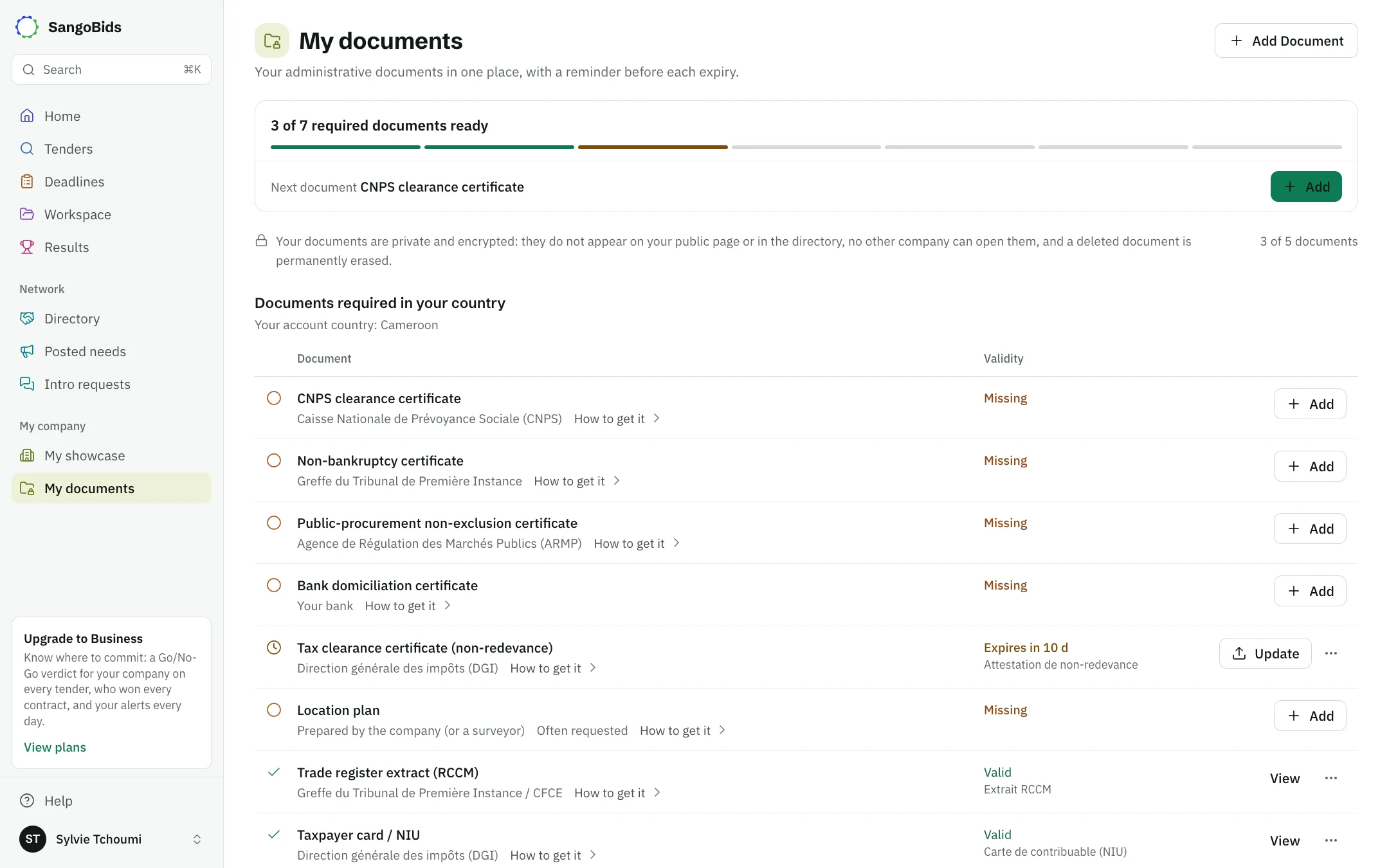
Open My documents in the menu. The counter says how many required documents are ready, and Next document says where to start.
Computer
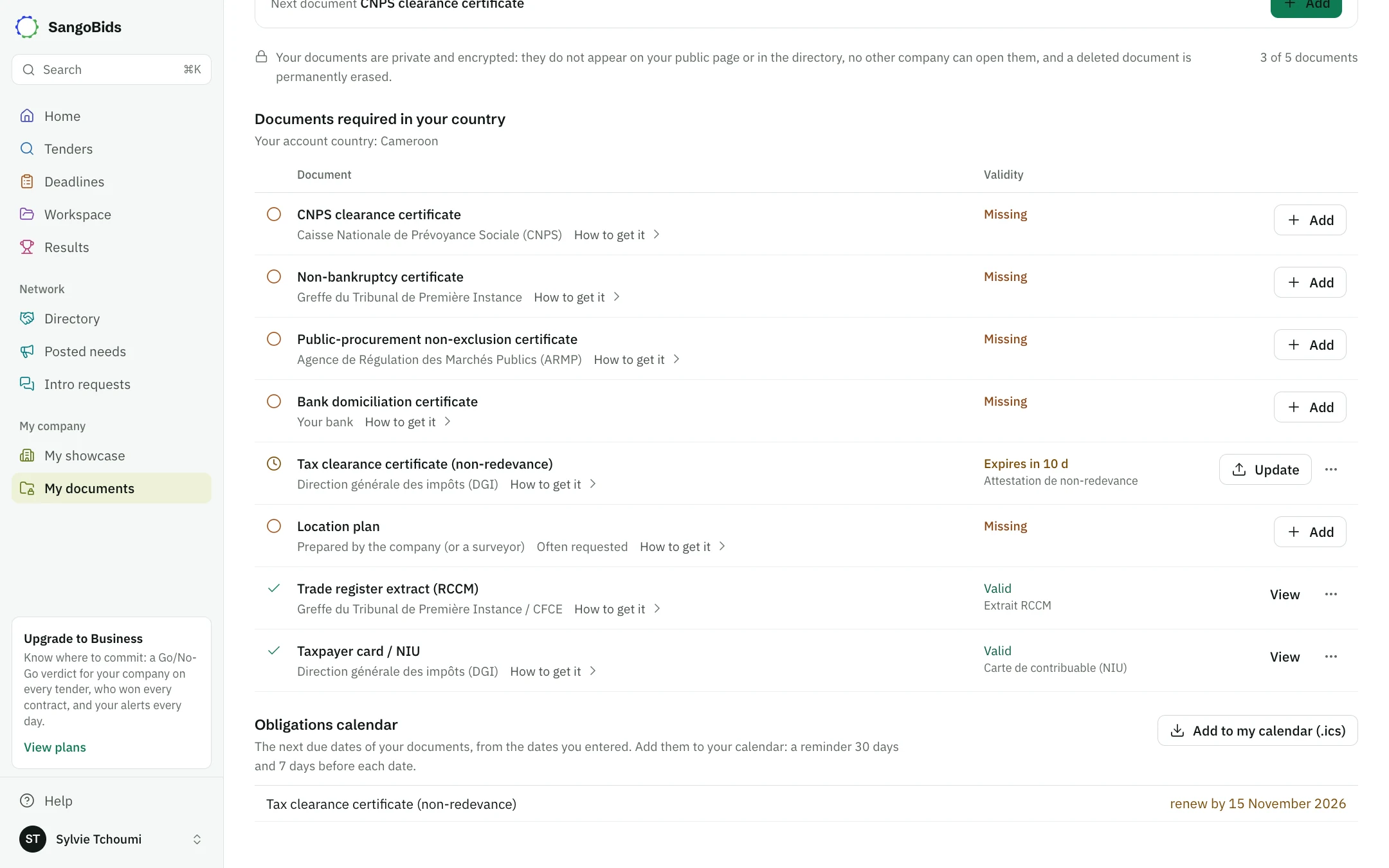
The Documents required in your country list depends on your account's country. Each row has a state:
- Missing: nothing in My documents matches.
- Valid: the document is there and still good.
- Expires in N d: less than 30 days left. Time to request the new one.
- Expired: the document no longer counts, so replace it.
Computer
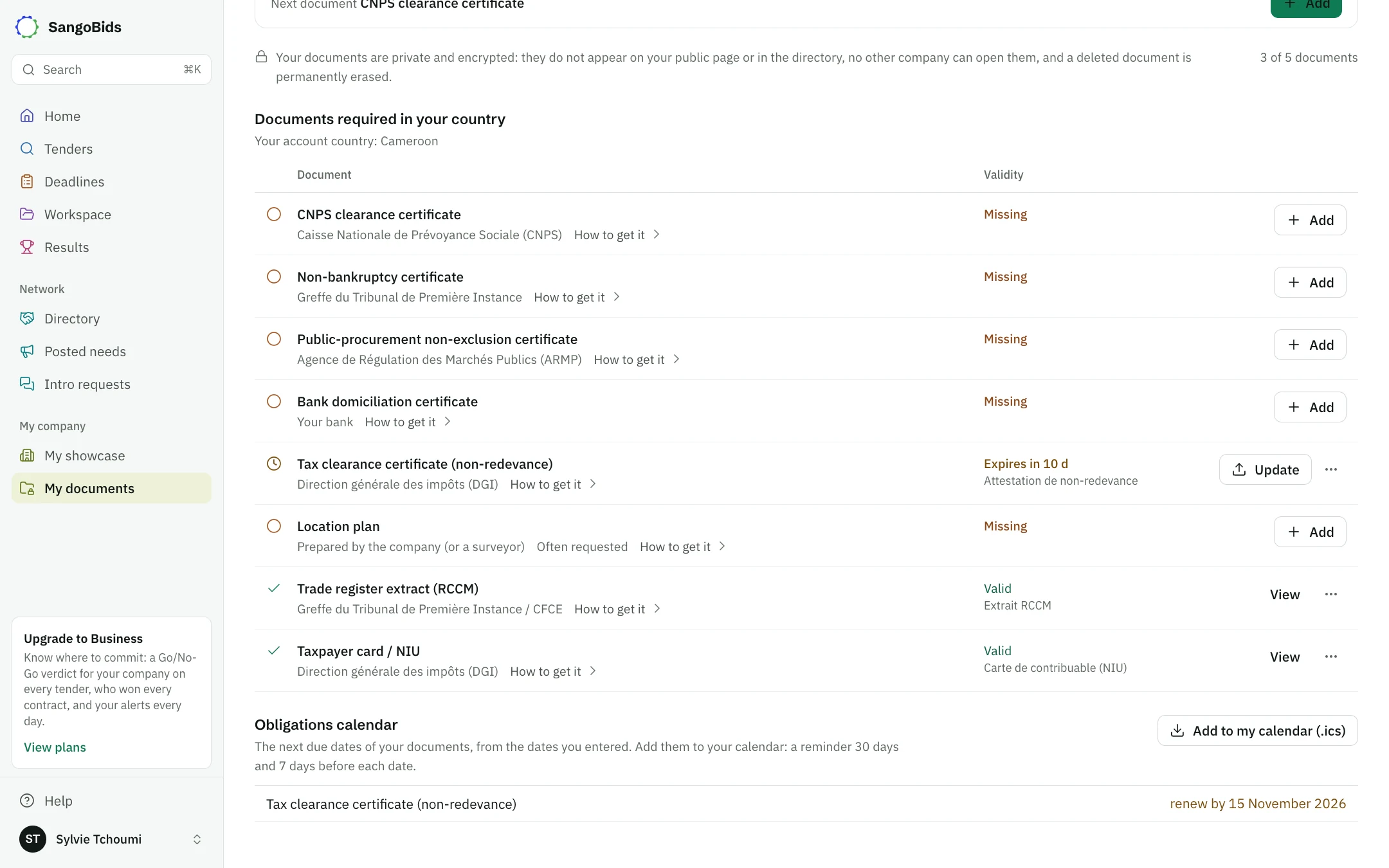
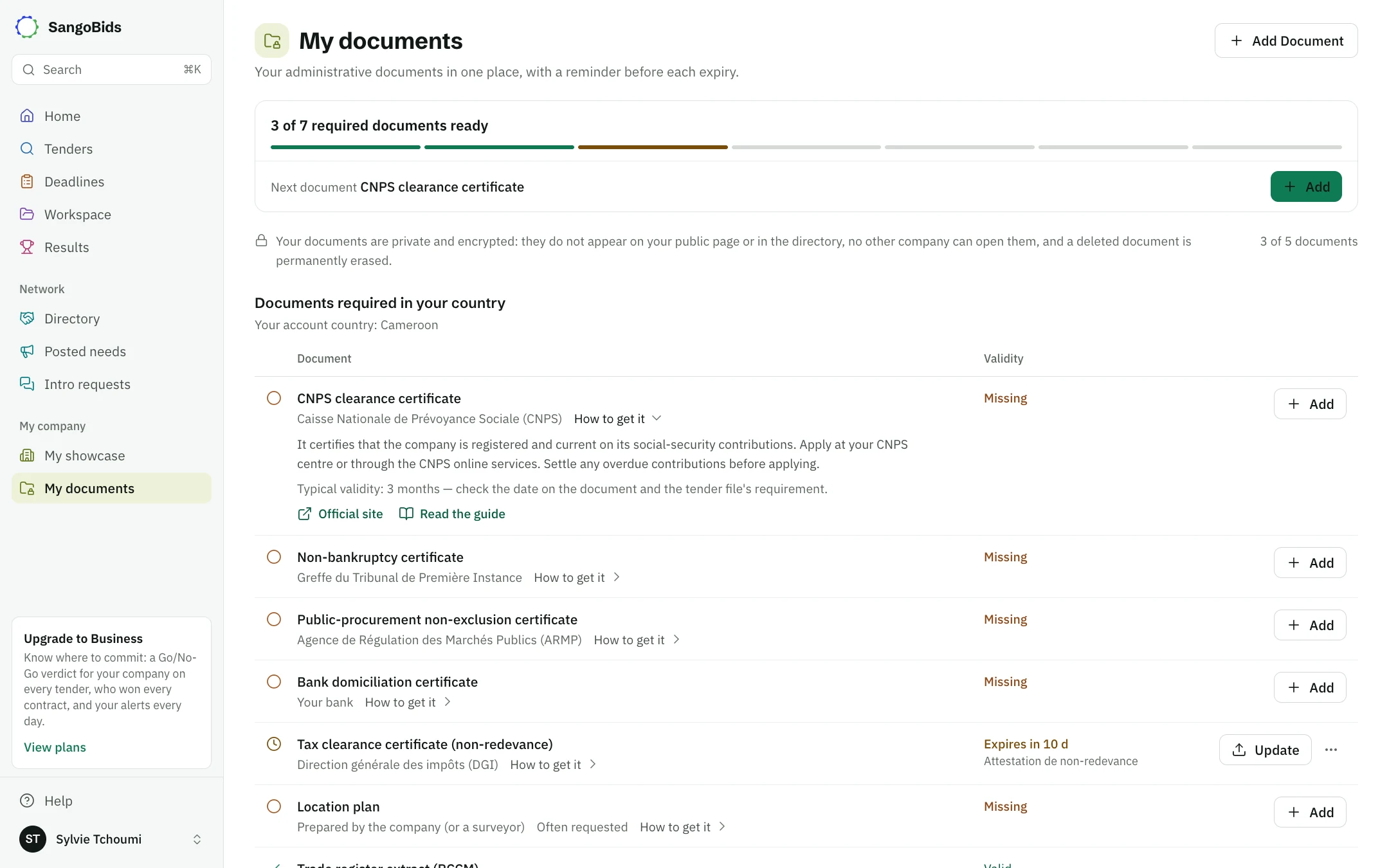
How to get it expands the procedure for each document, with the authority that issues it.
Computer
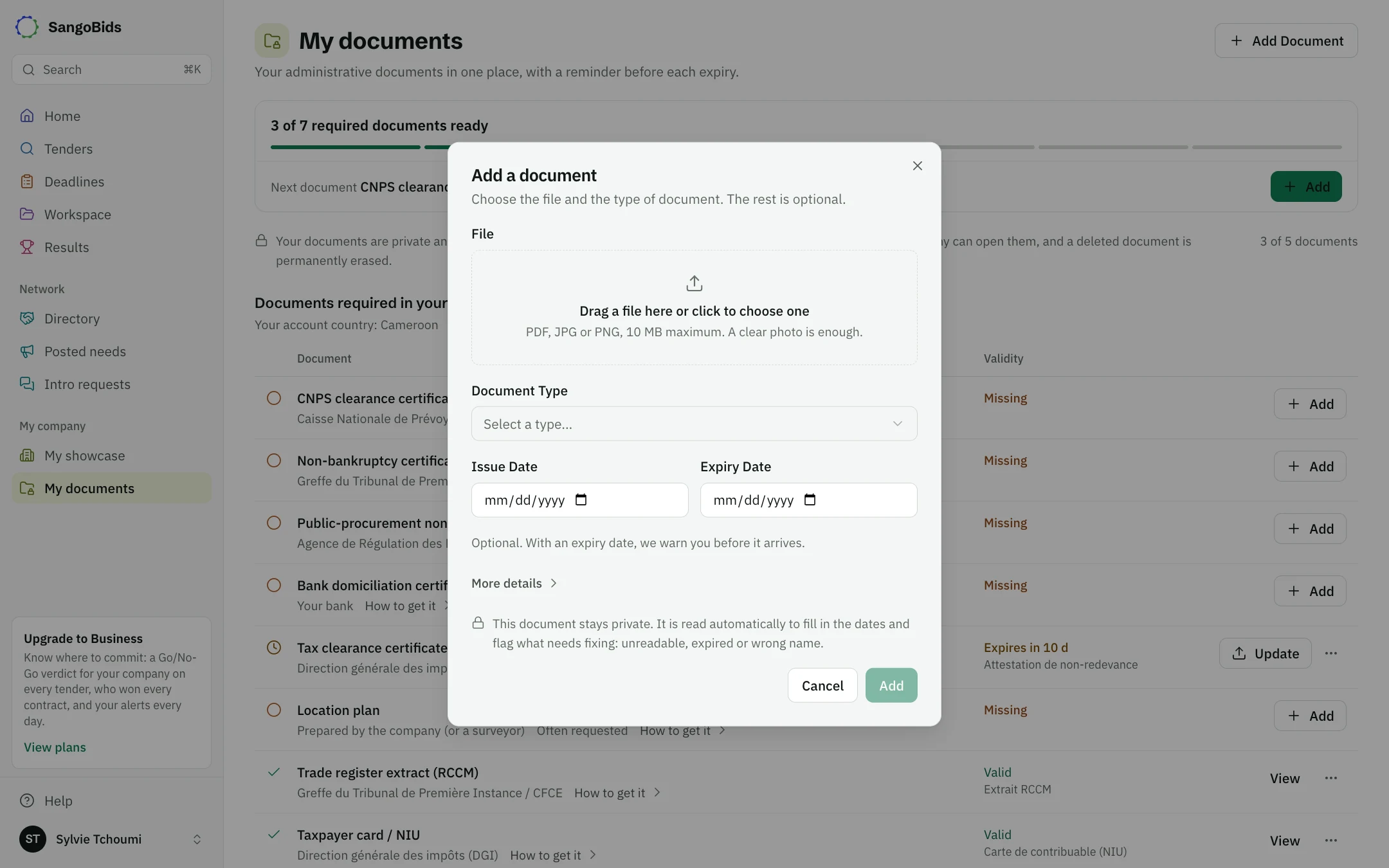
Add a document
Tap Add on the row
The document type is already chosen. Add Document, at the top of the page, is for everything else: bonds, references, insurance, which go under Other documents.
Choose a file or take a photo
PDF, JPG or PNG, 10 MB maximum. On a phone, Take a photo opens the camera: a clear photo is enough.
Check the dates
SangoBids reads the date on the document and flags what needs fixing: unreadable, expired or wrong name. Correct it if needed, because this date triggers the reminders.
Computer
Your documents are private and encrypted. They do not appear on your public page or in the directory, and no other company can open them. If you turn on the option on your showcase, only a document's title and validity date are shown, never the file. A deleted document is permanently erased.
Reminders and the calendar
Reminders arrive in the morning message, through the channels you chose in your settings.
The Obligations calendar gathers your next dates. Add to my calendar (.ics) places them in Google, Outlook or iPhone, with a reminder 30 days and 7 days before.
Computer
On every tender
On a tender page, the My documents block lists the documents that are missing or expired, with Add or Renew. It is free on every plan.
The submission file goes further: it compares your documents with the tender's exact list and tells you what expires before the deadline. With Pro, the document readiness check also tests your file against a notice you have not yet decided to track.
The company presentation many tender files ask for is downloaded from My showcase, Public page tab: Company presentation (PDF).
What My documents does not do
It does not obtain documents for you: it tells you where to request them. It does not replace reading the tender file, which may require one more document.
What next
The bidding guide details administrative documents by country and bonds and guarantees. To decide whether a tender is worth your time, read the Go/No-Go verdict.
Read next
- Prepare your submission fileFor every tracked tender: the document list read from the tender file, compared with your documents, the letters, the proposal, the reminder that says what is missing, and submission.
- The Go/No-Go verdictKnow in two minutes whether a tender is worth a week of work: the verdict, its reasons and the documents you are missing.
Ready to try?
The account is free and public tenders stay free. Three minutes is enough to receive the first ones.
Get started free