
The Go/No-Go verdict
Know in two minutes whether a tender is worth a week of work: the verdict, its reasons and the documents you are missing.
Responding to a tender costs one to two weeks of work. The Our view card tells you in two minutes whether this tender is worth them, for your company, and why.
Read the verdict
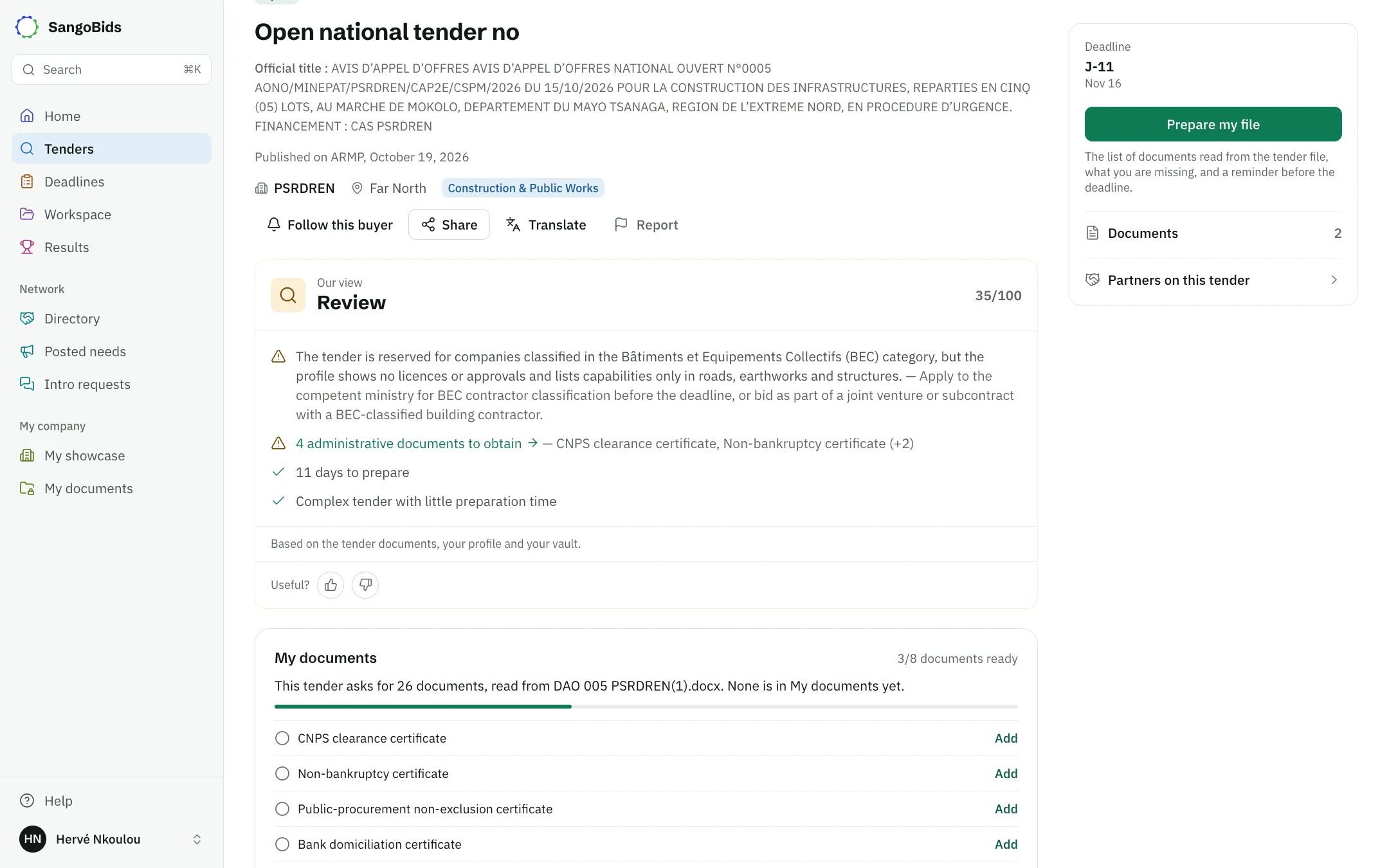
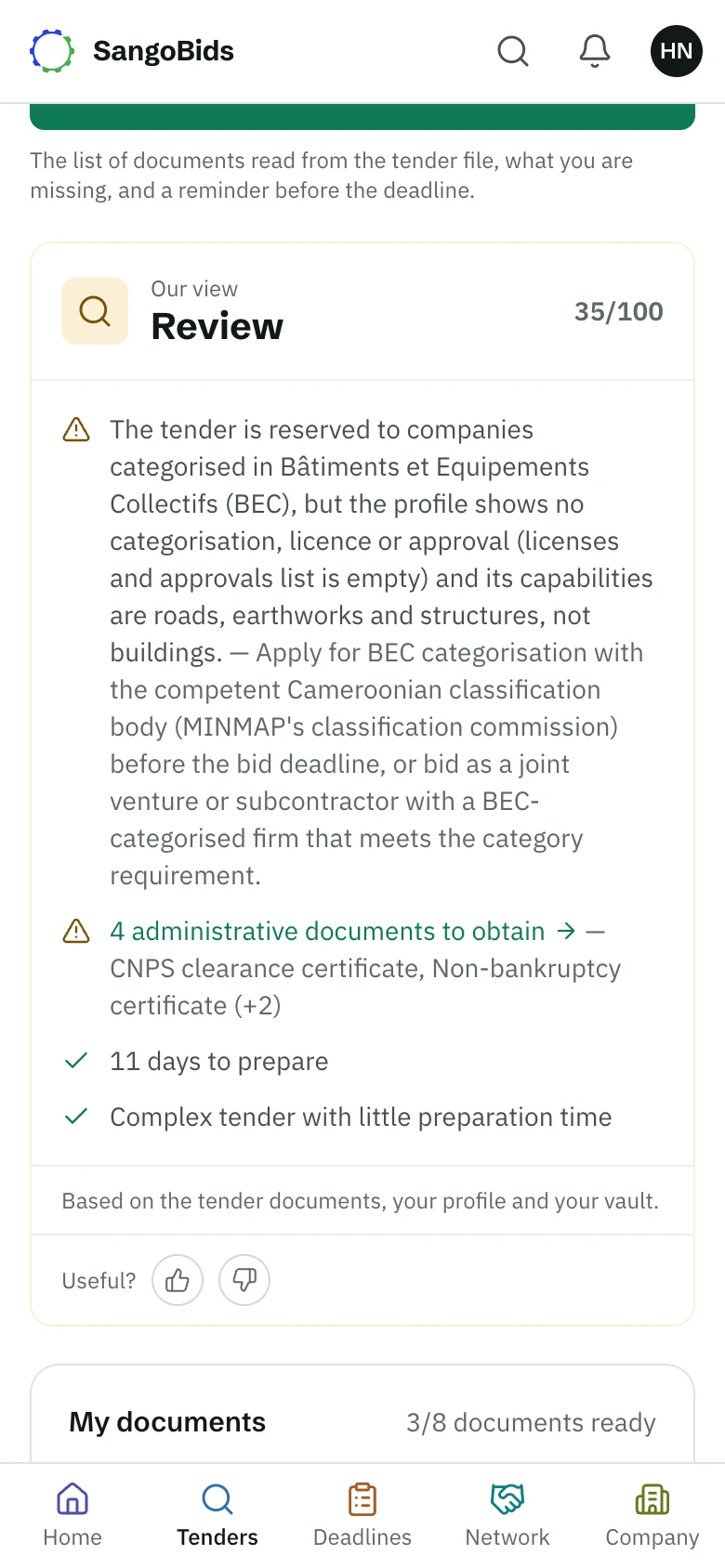
Open a tender page. The Our view card comes right after the title and gives one of three verdicts:
- Pursue: the tender fits your business, the deadline is workable, nothing rules you out.
- Review: the opportunity is real, but one point needs checking before you commit.
- Skip: a criterion rules you out, the deadline is too short, or the tender is outside your business.
Computer
Phone
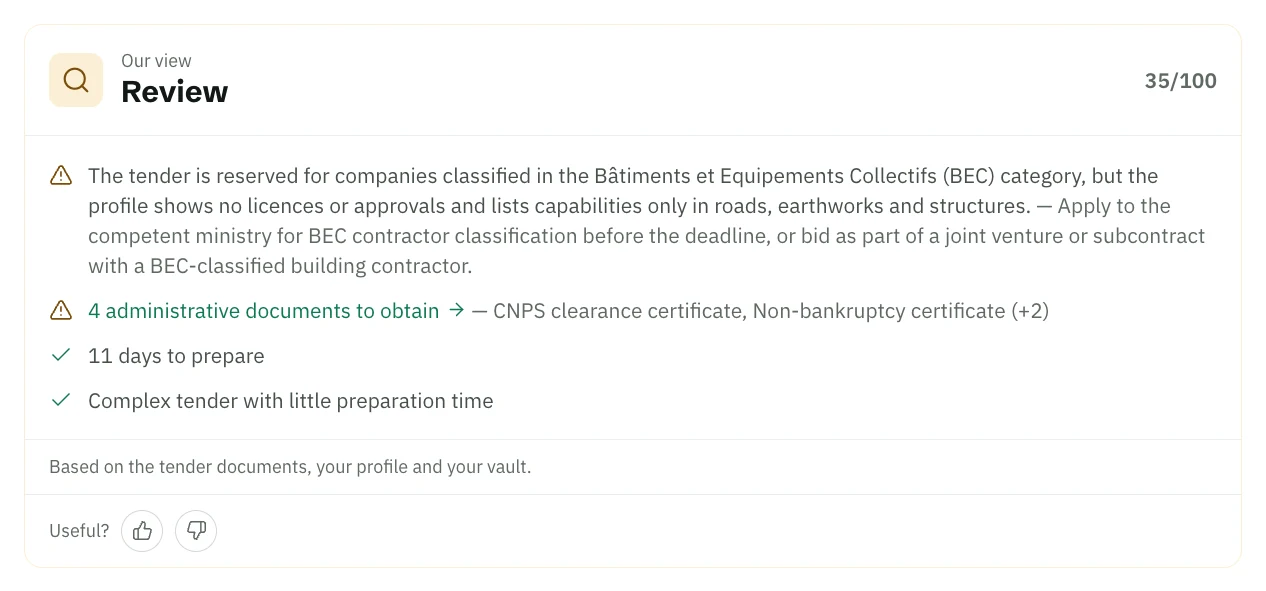
Under the verdict, each reason fits in one sentence. A tick marks a point in your favour, a triangle a point to watch. Read the triangles first: they decide.
Computer
The card's last line says what the view is based on: the full tender file, or the notice alone when the file is not online. In the second case, get the file before you decide.
See what you are missing
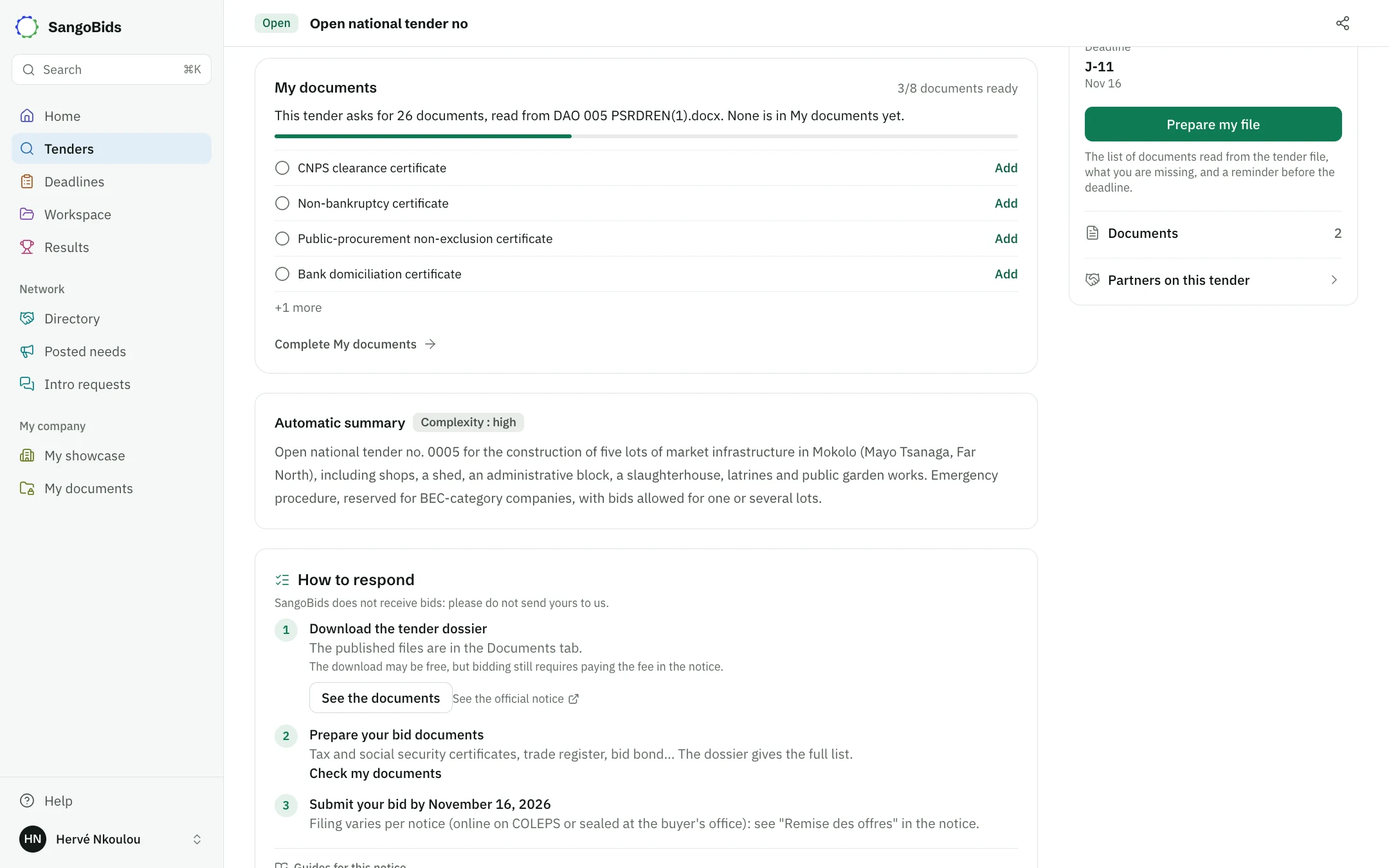
Just below, the My documents card counts your ready documents, for example "3/8 documents ready", and lists those missing or expired.
Computer
Tap Add or Renew
The upload opens on the right document. A document added once serves for every later tender.
Check against the tender file
When the file is online, the card says how many documents it asks for. Its list always prevails: read it again before you submit.
Decide, then prepare
The tender suits you? Tap Prepare my file, at the top of the page on a phone, in the right column on a computer.
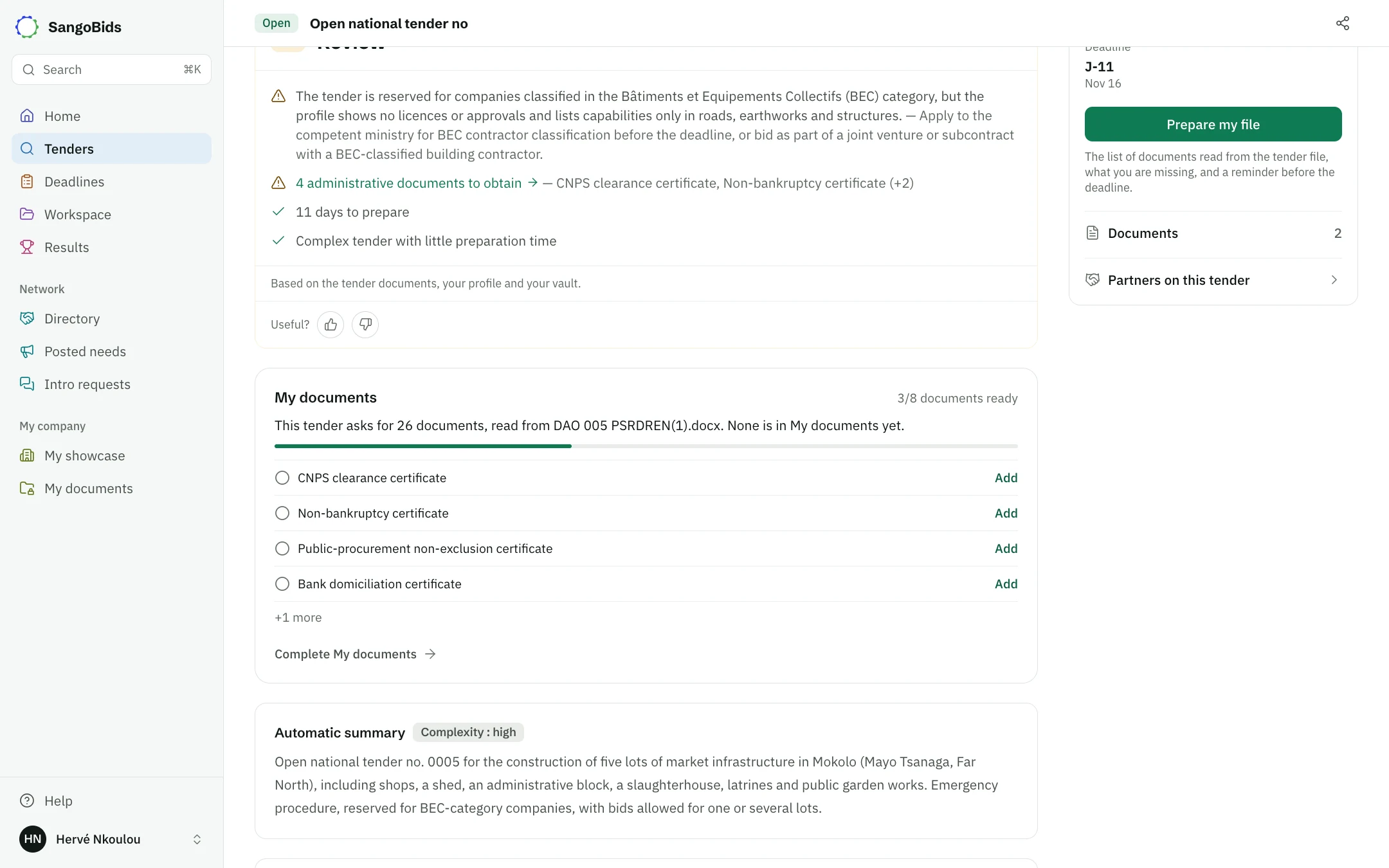
Computer
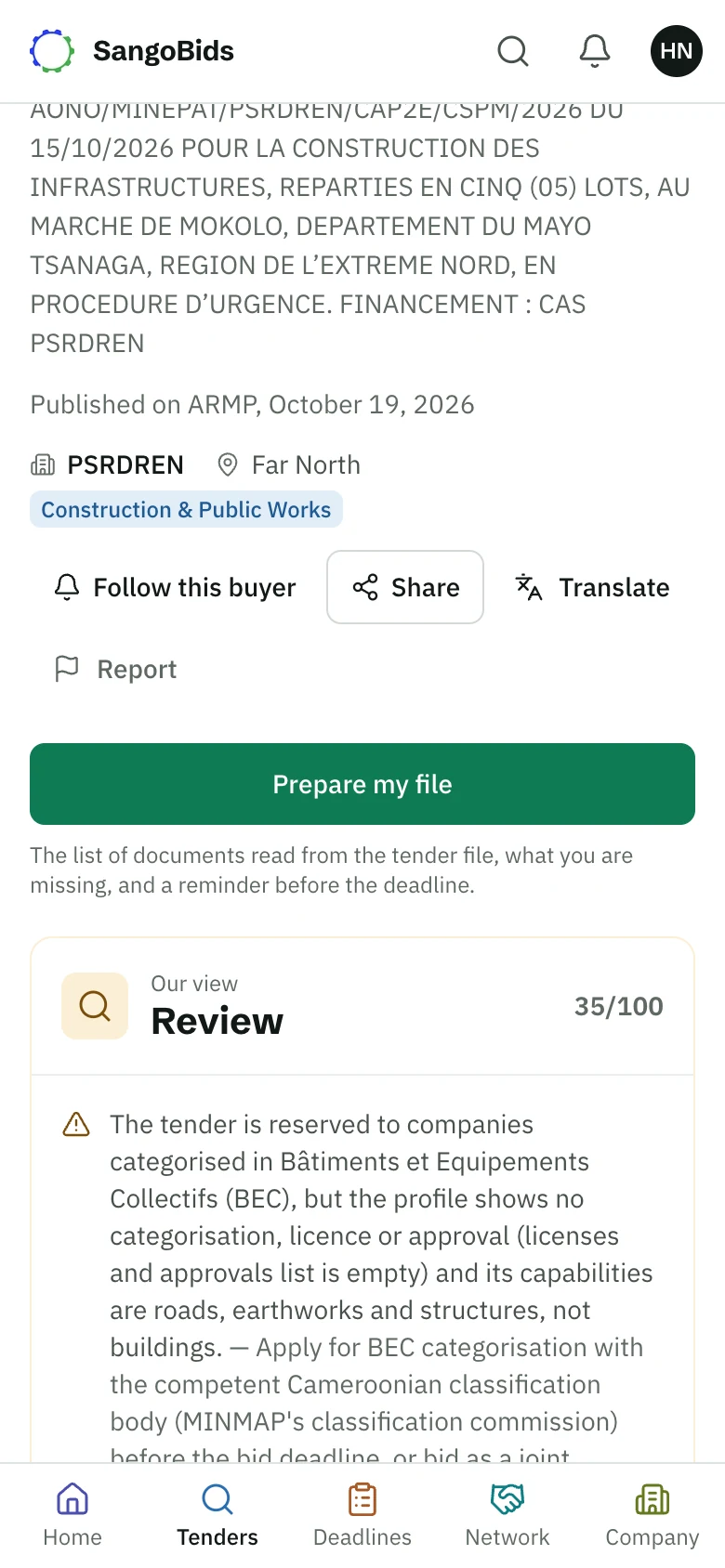
Phone
The tender joins your deadlines, with a reminder 3 days before the deadline, then the day before. Its file opens in the Workspace.
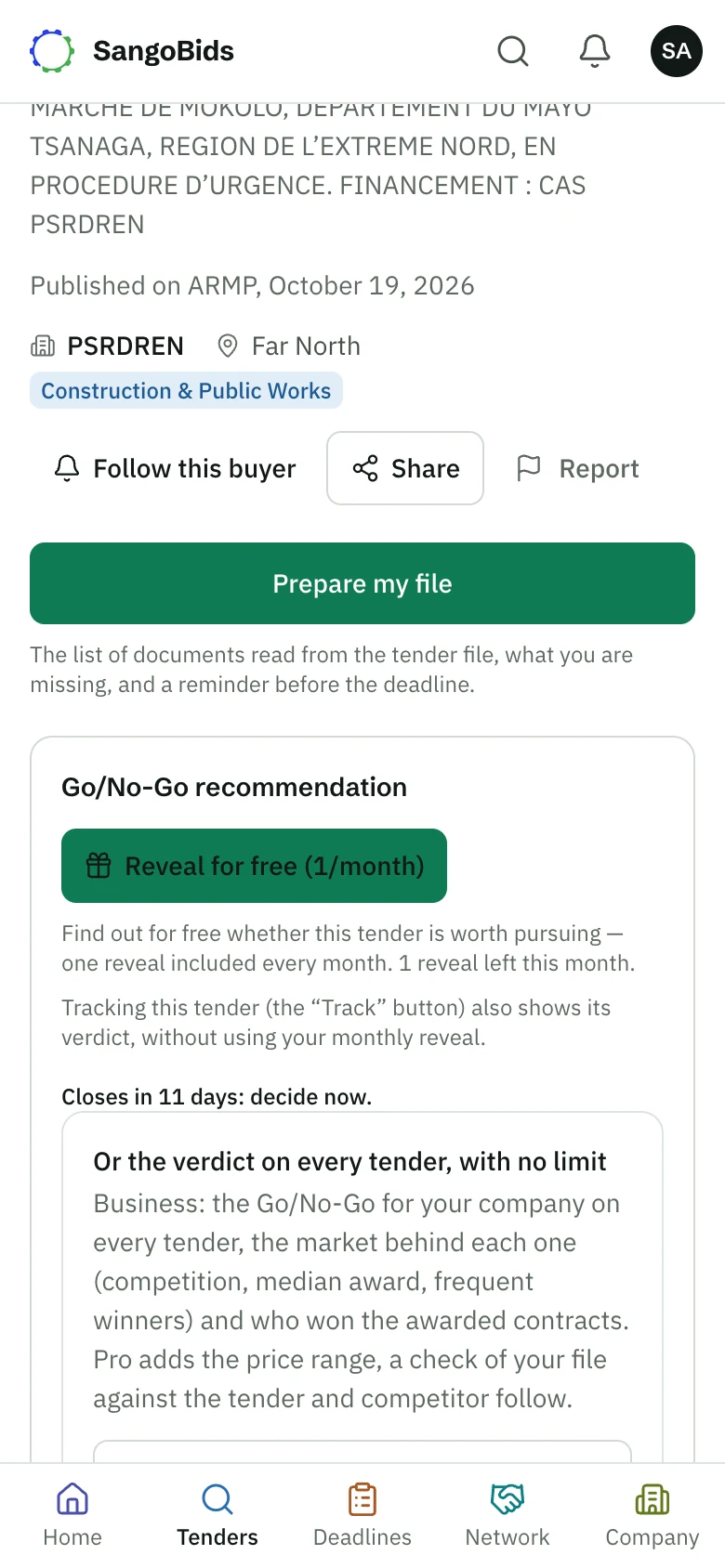
Phone
What the verdict does not do
It does not read what is not published: an incomplete notice is flagged as such. It does not know your order book either. A "Pursue" on a job you cannot absorb remains your decision.
What next
Prepare your submission file follows the file from the document list to submission. Read a tender page shows where to find the rest of the notice.
Read next
- Prepare your submission fileFor every tracked tender: the document list read from the tender file, compared with your documents, the letters, the proposal, the reminder that says what is missing, and submission.
- Read a tender pageWhere to find what matters in a notice: buyer, deadline, documents, amendments and, above all, how to respond.
Ready to try?
The account is free and public tenders stay free. Three minutes is enough to receive the first ones.
Get started free